
Limit and delay rule
Upper limit, lower limit, humidity limit where relevant, warning state, critical alarm, door-delay, defrost-delay, or process hold-off when configured

KRYOS helps teams turn temperature alarm limits into active response workflows by keeping thresholds, delay rules, alert owners, acknowledgements, escalation context, response notes, incident timelines, and reports connected.
A temperature alarm limit is useful only when it triggers the right response. KRYOS keeps the configured rule, the active alert, and the review record on the same path.
Upper limit, lower limit, humidity limit where relevant, warning state, critical alarm, door-delay, defrost-delay, or process hold-off when configured
Responsible team, after-hours contact, acknowledgement, backup owner, severity context, and escalation path while the event is active
Event start, event end, duration, min/max exposure, notes, recovery context, recurring alarm history, reports, and exports
This page explains how temperature alarm limits and escalation workflows should remain connected operationally. KRYOS supports monitoring, alerts, ownership, acknowledgement, response notes, incident timelines, and reports. It does not define the correct product limit, validate your SOPs, guarantee compliance, or decide product, sample, vaccine, food, clinical, or GDP outcomes.
Alarm workflows fail when a threshold is crossed but the rule, owner, response, escalation, and later record are not connected.
A fridge temperature alarm threshold or room limit becomes weak if no one knows who should respond, who backs them up, and what must be recorded after acknowledgement.
Door openings, defrost cycles, loading, picking, dispatch preparation, and routine access may need sensible alarm delays, but delay logic has to match product risk and SOP expectations.
Pharmacies, clinics, labs, warehouses, cold rooms, freezers, routes, and loading areas often fail when the first alert goes to someone unavailable outside normal hours.
Repeated drift, poor recovery, door habits, blocked airflow, freezer defrost patterns, vehicle refrigeration issues, or sensor placement problems need history, not isolated notifications.
The useful record explains why the alarm fired, who owned the response, what happened next, and what evidence is available later.
Keep the upper limit, lower limit, humidity limit where relevant, warning state, critical alarm, delay rule, severity context, and monitored condition with the event.
Tie the alarm to the fridge, freezer, room, cold room, incubator, vaccine fridge, medicine room, loading bay, vehicle, shipment, route, zone, return area, quarantine area, or site when configured.
Show event start, event end, duration, min/max exposure, trend before and after, recovery timing, and whether the event was still active when acknowledged.
Connect the responsible owner, team, shift, after-hours contact, backup owner, escalation path, severity, acknowledgement, and status to the same alarm record.
Preserve what was checked, moved, repaired, held, escalated, or reviewed, and keep recurring alarm history visible for maintenance, workflow, placement, or training review.
Export alarm records for pharmacy inspection, vaccine excursion review, GDP deviation review, laboratory QA review, food safety review, customer claims, maintenance review, and internal governance.
KRYOS helps teams act while an exception is active, then keeps the monitoring escalation process visible when quality, audit, inspection, customer, maintenance, or internal review asks what happened.
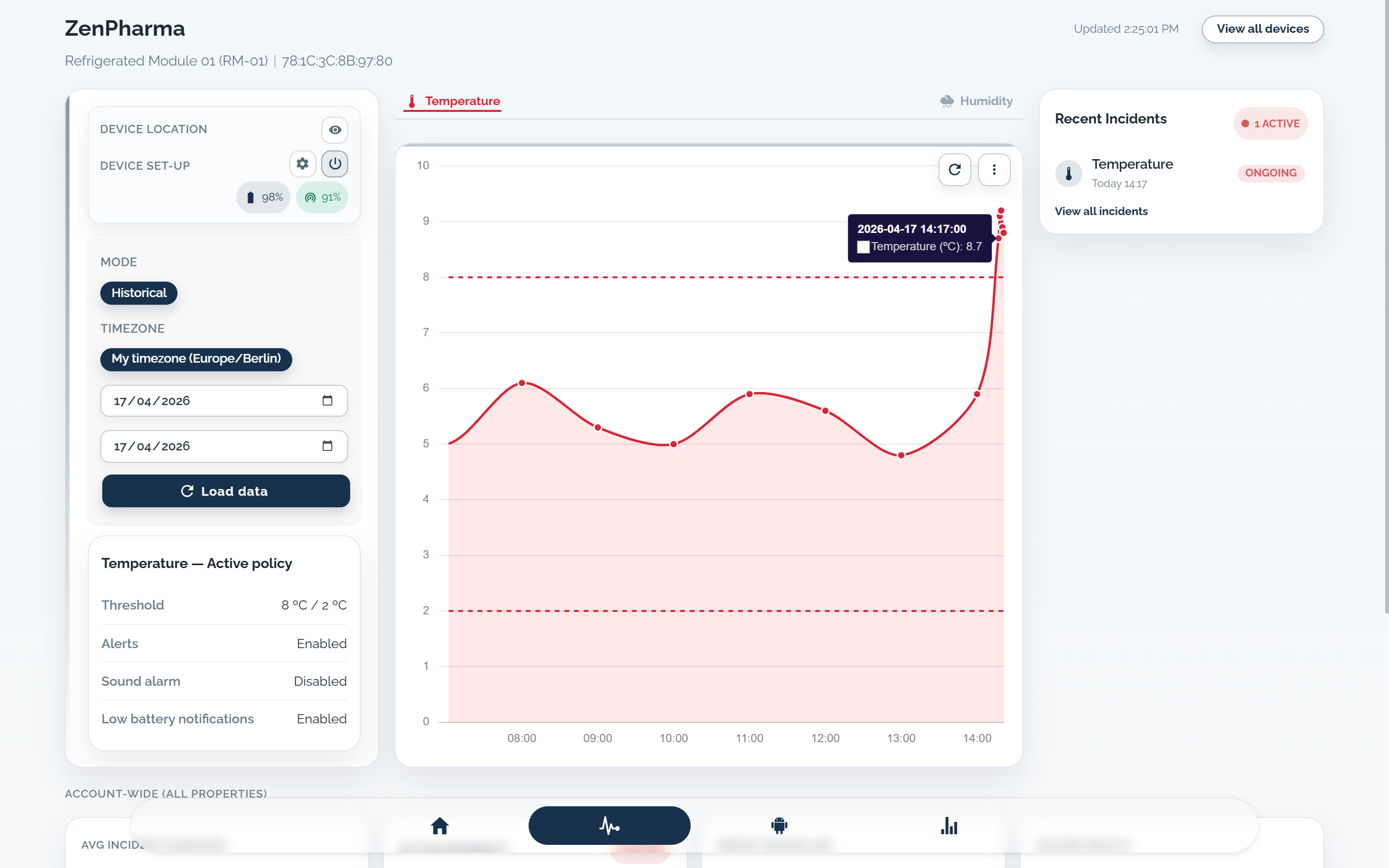
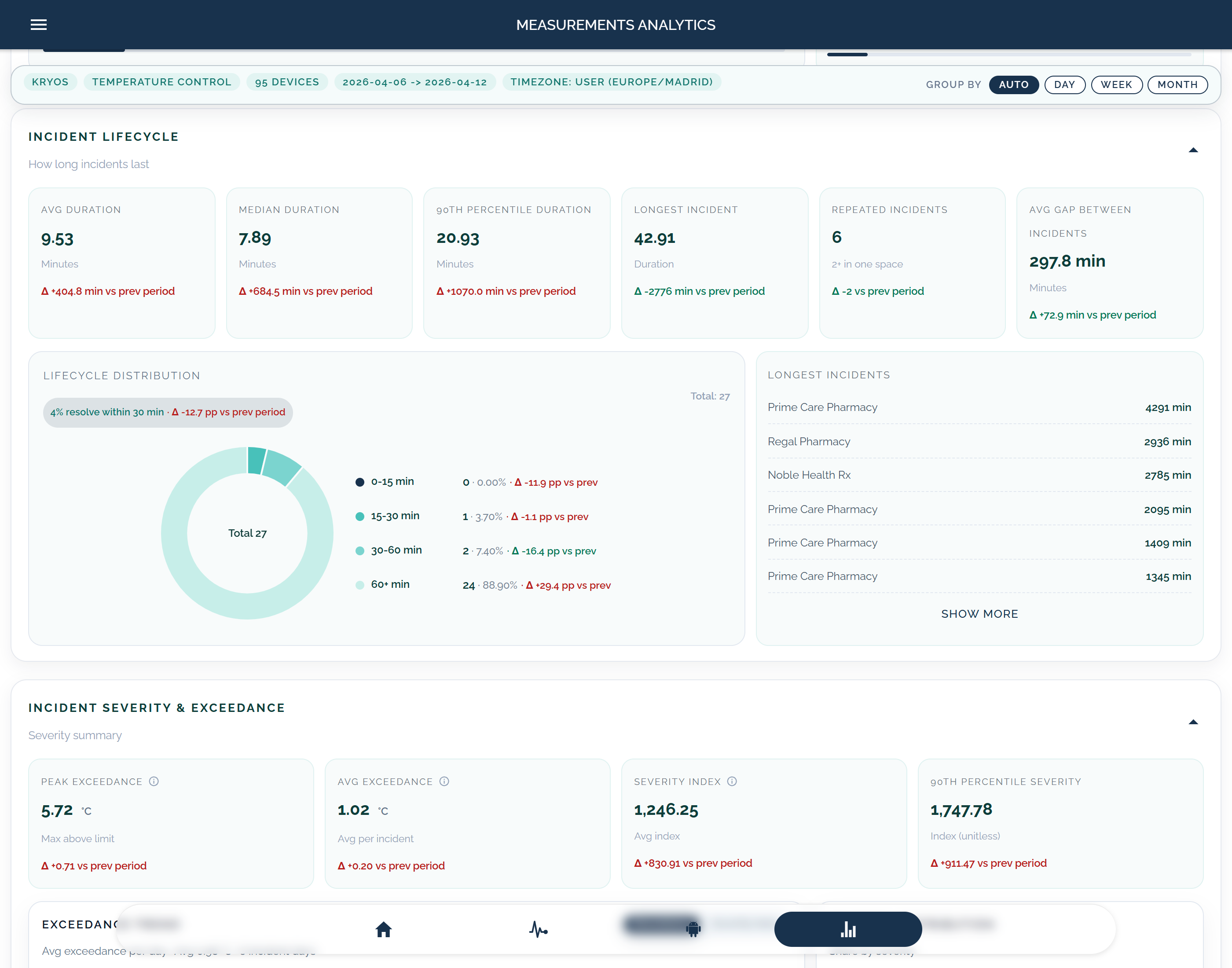
Use a guided discussion to review upper and lower limits, delay rules, alert owners, after-hours contacts, escalation paths, acknowledgement, response notes, reports, exports, and the boundaries between KRYOS evidence and your operational decisions.
Choose a time to review your temperature monitoring workflow with KRYOS. We can discuss sites, fridges, freezers, rooms, routes, alerts, reports, exports, and rollout needs.
